Social Media Promotion vs Management: What's the Difference and Which Do You Need?
Meta description: Confused about social media promotion vs management? Learn how they differ, what each costs you in time and results, and which one fits your brand.
Many creators and business owners use "social media promotion" and "social media management" as if they mean the same thing. They don't, and mixing them up can cost you time, money, and growth.
What Is Social Media Promotion?
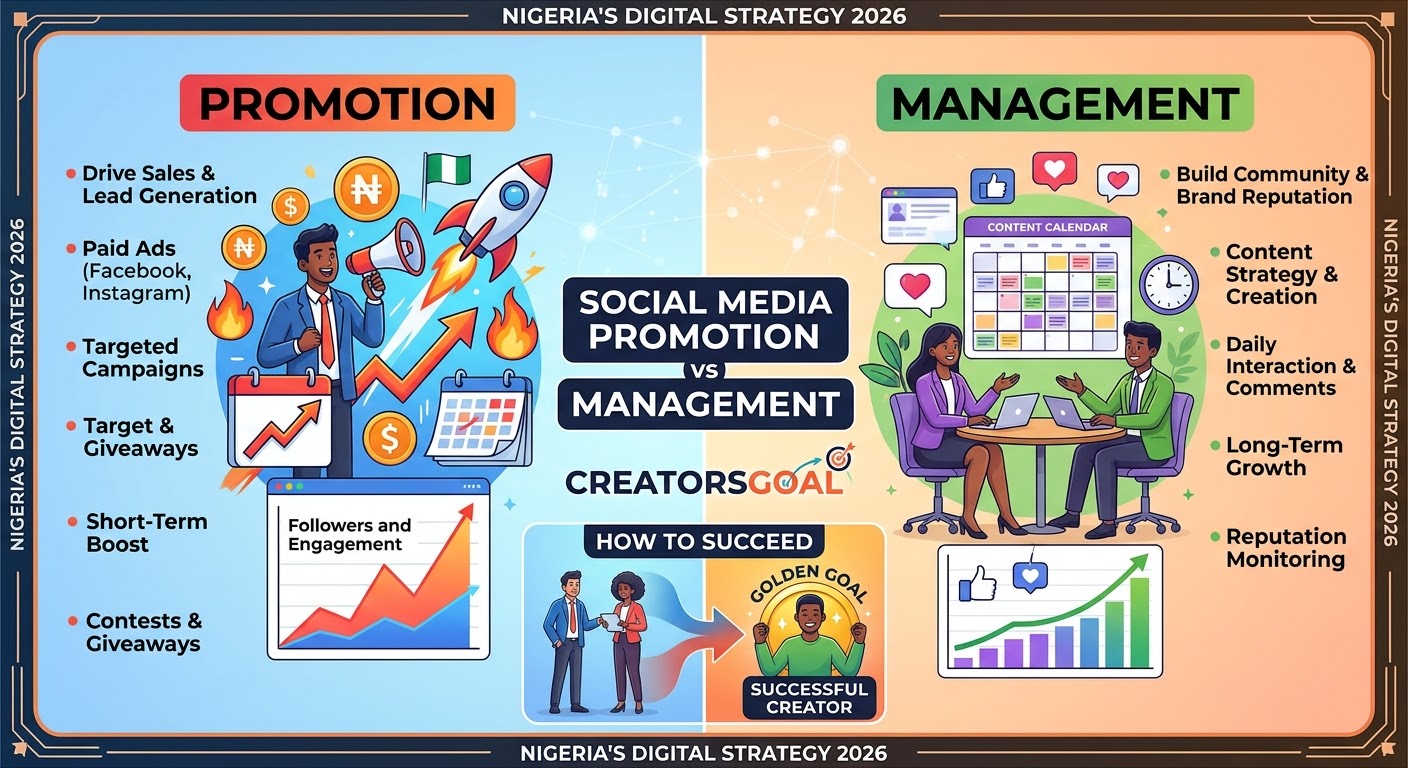
Social media promotion is about getting your content in front of more people. It's outward-facing and goal-driven, often tied to a specific campaign, launch, or milestone.
Common promotion activities include:
Paid ads on Instagram, Facebook, TikTok, X, and YouTube
Influencer and creator collaborations
Giveaways and contests
Sharing content in relevant communities and groups
Boosting top-performing posts
Goal: reach, traffic, followers, leads, or sales, fast.
What Is Social Media Management?
Social media management is the ongoing, day-to-day running of your social presence. It's about consistency and community, and keeping your brand voice steady.
Typical management tasks include:
Content planning and scheduling
Creating posts, graphics, and captions
Replying to comments and DMs
Monitoring brand mentions
Tracking analytics and reporting monthly
Goal: a active, trustworthy, well-run brand presence that builds loyalty over time.
Key Differences at a Glance
Promotion
Management
Focus
Reach and visibility
Consistency and engagement
Timeline
Short-term campaigns
Long-term, ongoing
Budget
Often ad spend
Often monthly retainer or time
Main result
Traffic, leads, sales
Community, trust, retention
Example
Running a launch ad
Posting daily and replying to followers
Why You Need Both
Promotion without management is like pouring water into a leaking bucket. You attract new visitors, land on a dead or inconsistent page, and they leave without following or buying.
Management without promotion is the opposite. Your page looks great and stays active, but few people ever see it.
The strongest strategy pairs them: management builds the foundation, and promotion amplifies it.
Which One Should You Start With?
Brand new page? Start with management. Set up a clean profile, a content plan, and a posting rhythm, so there's something worth seeing.
Solid page, low reach? Focus on promotion through ads, collaborations, and shareable content.
Launching a product or event? Run a promotion campaign backed by steady management.
Short on time? Hand off management first, since consistency is the hardest thing to maintain alone.
Tips for Getting Results
Set one clear goal per campaign. Followers, clicks, and sales need different tactics.
Know your audience. Post where they actually spend time.
Track the numbers. Engagement rate, reach, and conversions show what's working.
Stay consistent. Algorithms reward regular posting.
Engage, don't just broadcast. Reply, ask questions, and start conversations.
Final Thoughts
Promotion brings people to your door, and management gives them a reason to stay. Understanding the difference helps you spend your budget wisely and build a social presence that grows steadily.
At CreatorsGoal, we help creators and brands grow with smart, practical social media strategies. Ready to take your presence to the next level? Get in touch today.